
Manage order edits and returns
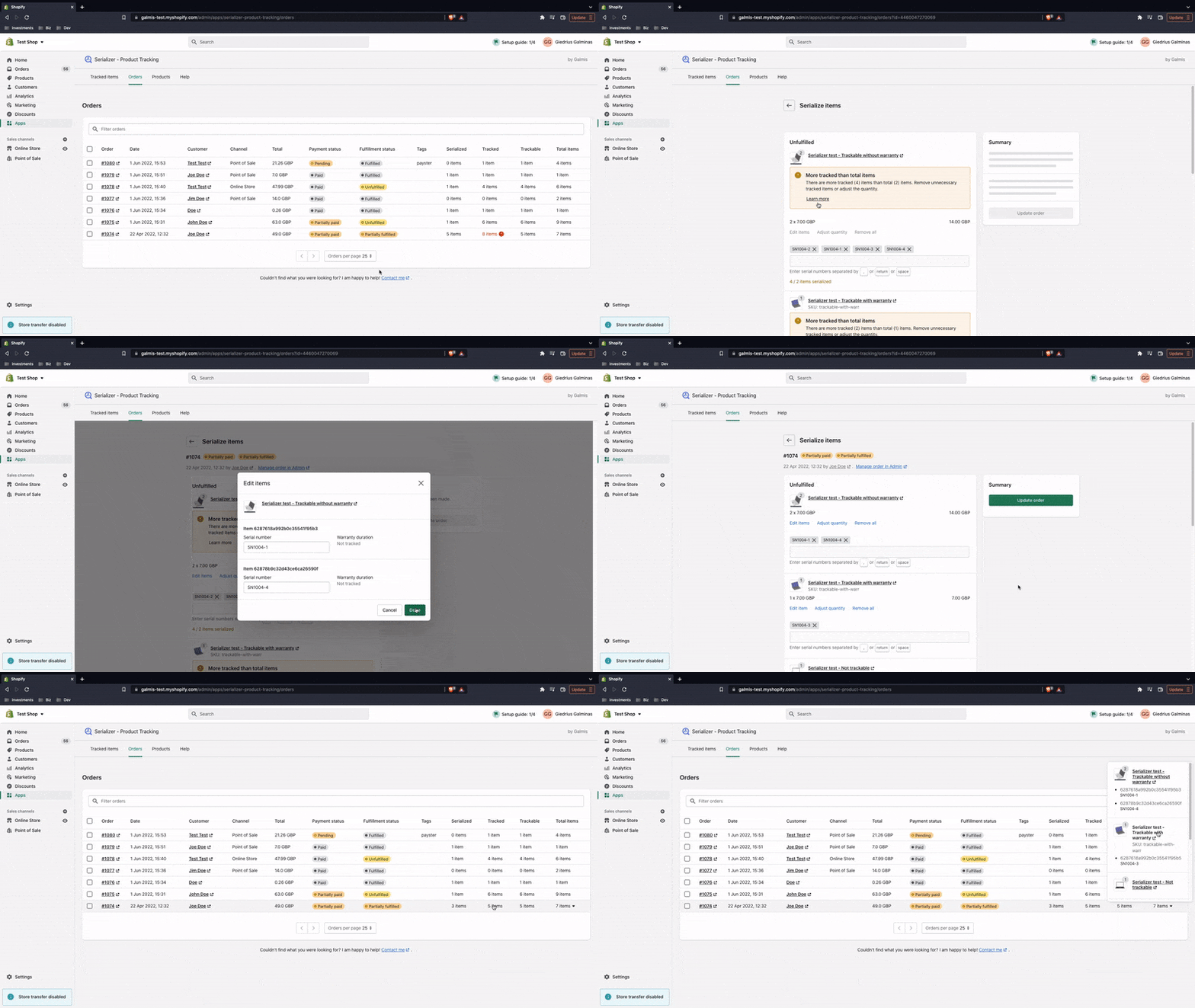
Sometimes you may notice a warning indicating that the order contains more tracked than total items. The issue may be caused by item(s) being removed, e.g. via Shopify's Edit order, or Return items pages or other apps.
Why does it happen?
When a subset of items is removed from the order's line, the app doesn't "know" which exact items (units) were removed. Therefore, the items are still associated with the order. Shopify does not support product serialization.
This is only a problem if a subset of items with changes within the line is removed or restocked, e.g. 1 out of 2. It is not a problem when
All items in the same line are removed, e.g. 1 out of 1, 2 out of 2, etc.
All items in the same line are restocked
There are items without any changes, i.e. no serial numbers or custom details entered.
How can I fix it?
The issue can be fixed by manually removing or returning the item to inventory on the admin order page or the embedded app.
Order page in Admin
Navigate to the affected order in Admin

Open Manage items modal
Click Remove to permanently delete or Return to inventory to un-assign the item(s) and return back to Inventory items (only applicable to inventory tracking method).

Click Save
Embedded app
Navigate to Manage order items page in the embedded app

Click Edit items under the affected order line
Click Remove to permanently delete or Return to inventory to un-assign the item and return back to Inventory items (only applicable to inventory tracking method).

Click Done to capture the changes locally
Click Update order to save the changes
Quick return to inventory
Items can also be unassigned by clicking X on the item tag and saving.

This works on the admin order page and the embedded app, but is only applicable to product variants using the inventory tracking method.
Last updated