
Enable tracking for multiple products
Go to the "Product preferences" page in the app. There you will see a list of your product variants with the following selectable options:
Track items
Enable unique product tracking
Track serial number
Track items using serial numbers
Track <custom field name>
Track items using custom fields, created in the app's settings
Track warranty
Track each sold item's warranty. Enter the default warranty duration for every product variant you would like to track.
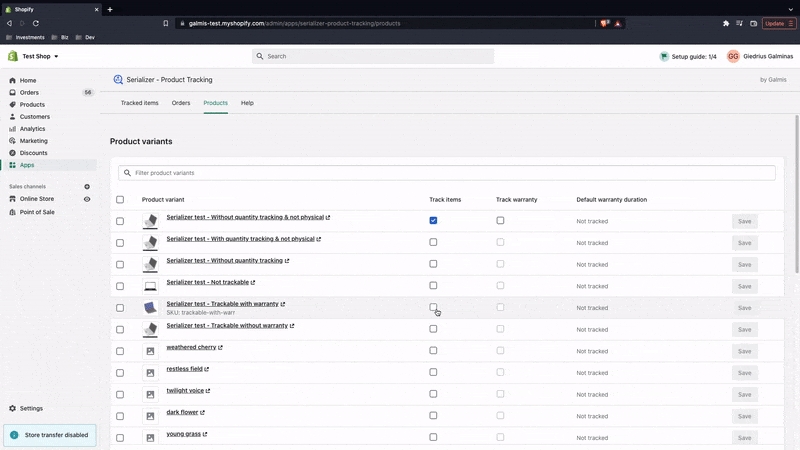
If you have many variants with the same tracking configuration, you can select and edit them via the "Set variant properties" action.
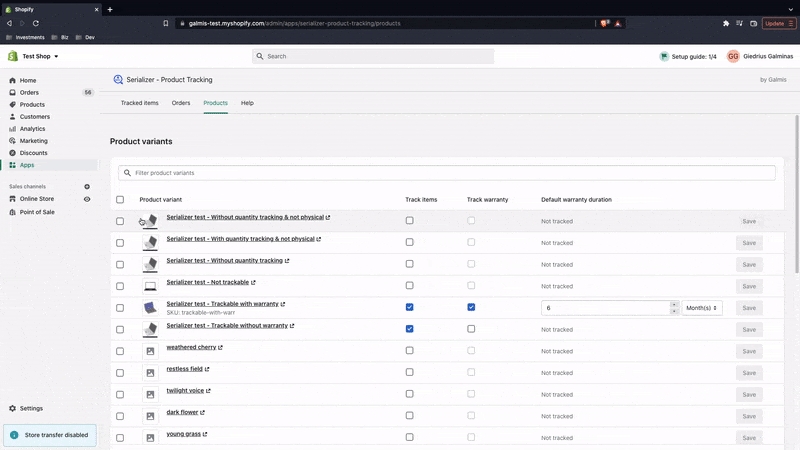
Select product variants you'd like to edit.
Optionally, if you wish to edit more product variants than displayed on the current page, please "Select all 25+ product variants" at the top left. This will select all product variants matching the query entered in the "Filter product variants" search bar at the top. If no search query entered, all store's product variants will be selected.


Click "Set variant properties" at the bottom.
Edit product variant tracking properties in the popup window


Click "Save"
Variant properties are saved in the Shopify variant metafield under namespace "serializer" and key "properties". Please do not add custom metafield definitions, or delete or edit existing metafields under the "serializer" namespace, as the app will not function as intended. Learn more about metafields.
Well done! You're now ready to track your items using serial numbers. Let's jump into the next section.
Last updated